![operabase-logo.png]](https://help.operabase.com/hs-fs/hubfs/Operabase%20Logos/operabase-logo.png?height=29&name=operabase-logo.png)
How can I access our agency page?
To access your agency page on Operabase, you'll need to register/log in using your official work domain email address
How does a casting director find our contact info for an artist we represent?
Casting professionals and artistic directors can easily find your contact details through the Operabase Casting Tool. When Casting teams click on your agency name in the Casting Tool, they are redirected to your Operabase agency roster page, where they can view your entire artist roster, office details, contact information and members of your team.
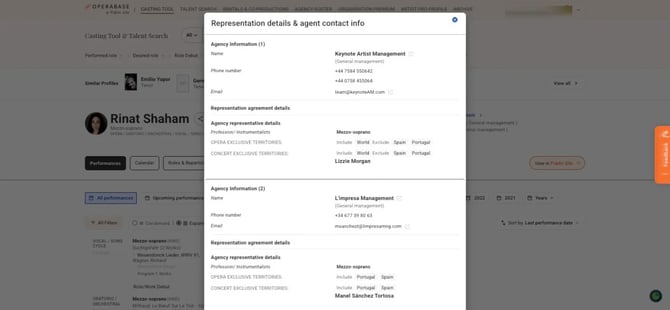
Your agency contact information and representation details are also visible on the Artist page when viewed from the Artist Casting Tool view. The information displayed includes the agent representing the artist, their contact details and the representation information.
How do I display our agency details on an artist's public profile?
If you have access to the artist's profile: go to Agency Roster in Edit, click "Manage profile" next to their name, click "Agency / Artist Manager representation & contact," and set the visibility as preferred.
If you don't have access: locate the artist on your roster and click "Request access."