![operabase-logo.png]](https://help.operabase.com/hs-fs/hubfs/Operabase%20Logos/operabase-logo.png?height=29&name=operabase-logo.png)
What is the media widget and how do I control what appears?
The media widget appears at the top of your profile and features your profile photo, video or cover photo and a section that redirects to your photo and video gallery.
It is a collection of media files that you have uploaded to your profile and also contains photos and videos of productions in which you have participated.
Why do my images look bad, stretched or cropped?
Blurry images usually mean the original file was too small. Stretching or cropping happens when an image doesn't match Operabase's aspect ratio guidelines — cover photos should be at least 4:1 (width:height), and profile/poster photos at least 2:3.
Why can’t I edit / delete some of the photos on my profile?
Profile photos can be shown/hidden, deleted, and edited. Production photos can only be shown or hidden because they're attached to a production you participated in and linked via the organisation's page, so they can't be edited or deleted directly.
Where do I mention photographer credits?
You can use field description or photo title to attribute a photographer. Please note that this field can not be left empty, therefore it is auto-populated by default with the Composer and Musical work name of the production, where applicable.
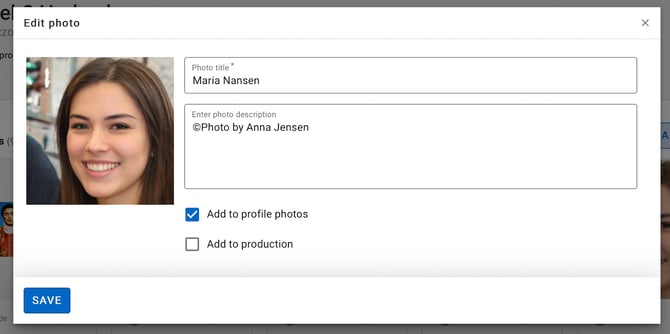
Why do I need to add photo or video details?
There are various reasons why it is a good practice to add a description to a media file uploaded on the internet. This makes the content discoverable online, and allows for generating a meta description of the uploaded media file, which in turn helps machines to read out visual content to people with visual impairments browsing the internet.
Industry professionals and artist managers have the ability to manage information on their Operabase profile. Please note that certain features are paid.